Reports on Order Completion measures the number and proportion of successful orders per day.
Here are the reports available about Order Completion with different types of breakdown:
- Order Completion (%)
- Order Completion (%) by driver
- Order Completion (%) by load
- Order Completion (%) by load & by driver
- Order Completion (%) by customer
- Order Completion (%) by account
- Order Completion (%) by task contact person
- Order Completion (%) by zones
- Order Completion (%) by VersaFleet Plan accounts
Report Overview
Order Completion (%)
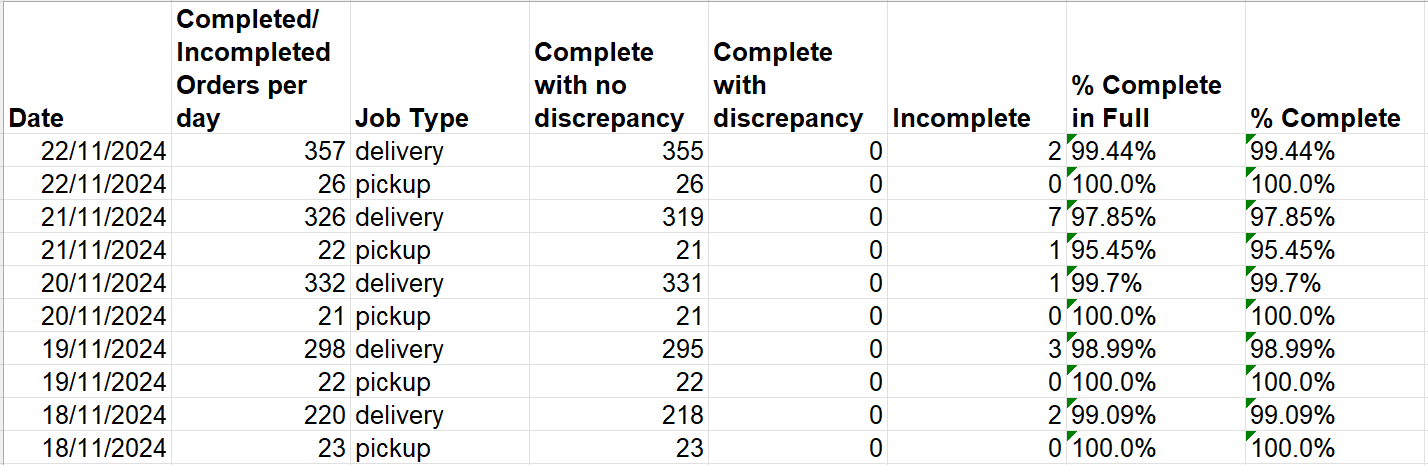
- Completed/Incompleted Orders per day sums up the total complete and incomplete orders for the day
- Job Type is either Delivery or Pickup, 1 row for each Job Type
- Complete with no discrepancy refers to tasks that have been completed without item discrepancy
- Complete with discrepancy refers to tasks that have been completed with item discrepancy (Line Item Validation is enabled)
- Incomplete refers to tasks that have not been completed
- % Complete in Full is calculated by taking Complete with no discrepancy divided by Completed/Incompleted Orders per day
- % Complete is calculated by taking the sum of Complete with no discrepancy and Complete with discpreancy divided by Completed/Incompleted Orders per day
Order Completion (%) by driver
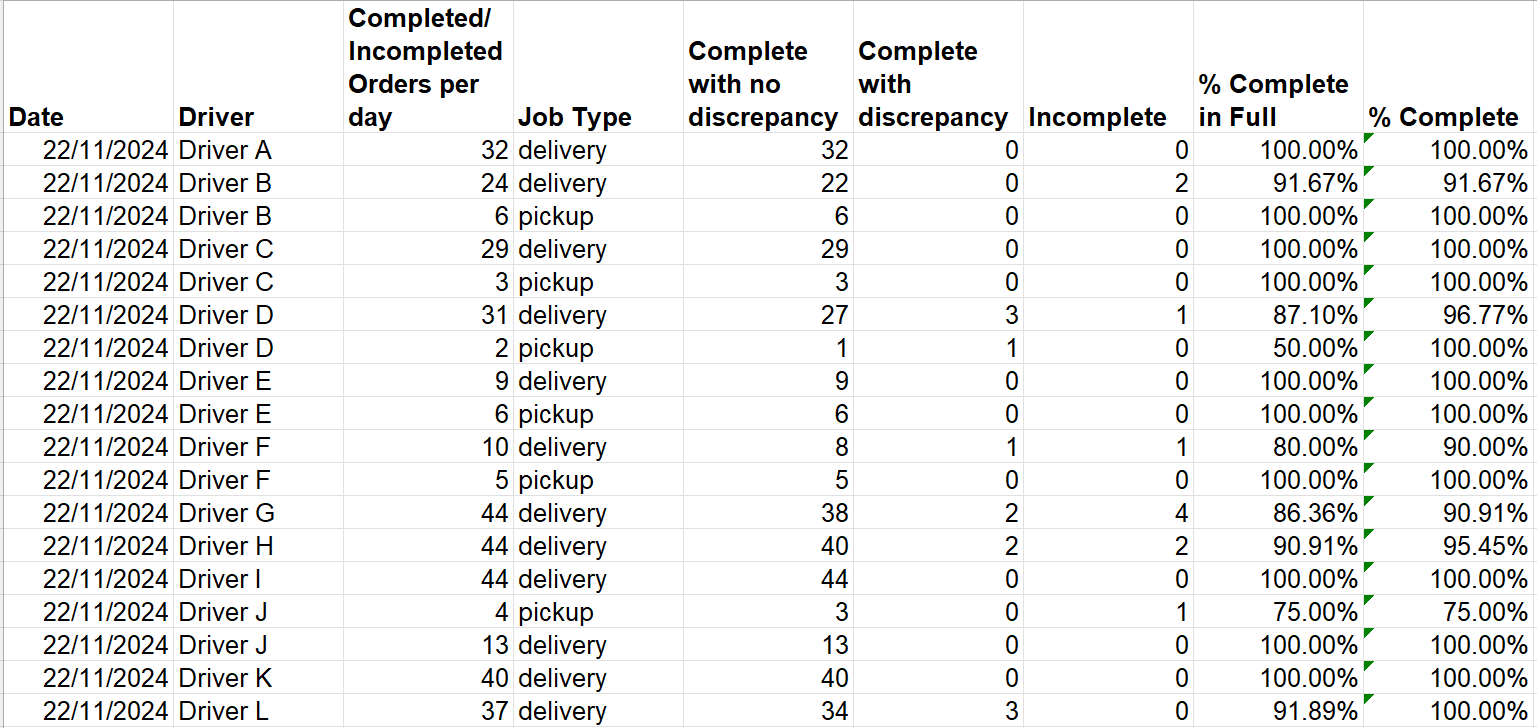
- Order Completion (%) report with breakdown by drivers
- Each section is for 1 day
Order Completion (%) by load
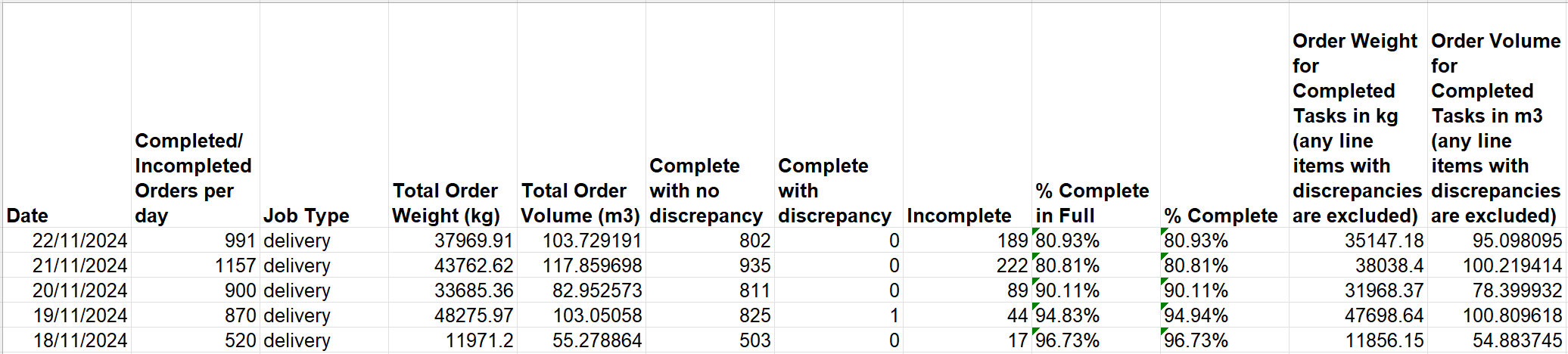
- Order Completion (%) report with breakdown by task weight and task volume
- Order Weight for Completed Tasks in kg (any line items with discrepancies are excluded) measures the total weight of tasks completed with no discrepancy
- Order Volume for Completed Tasks in m3 (any line items with discrepancies are excluded) measures the total volume of tasks completed with no discrepancy
- Each section is for 1 day
Order Completion (%) by load & by driver
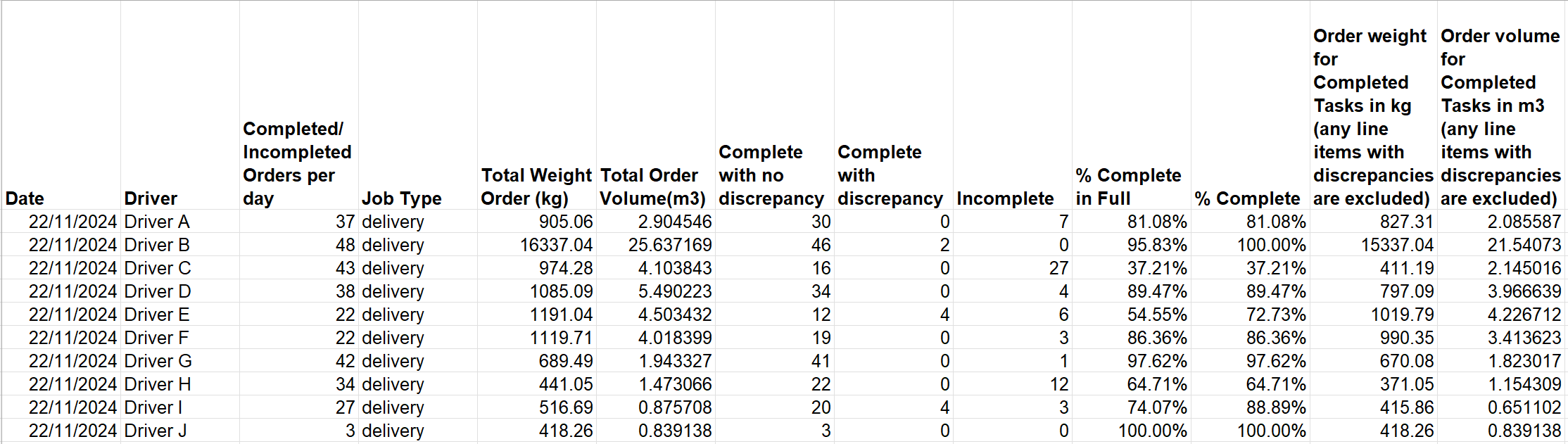
- Order Completion (%) by load report with breakdown by drivers
- Each section is for 1 day
Order Completion (%) by customer
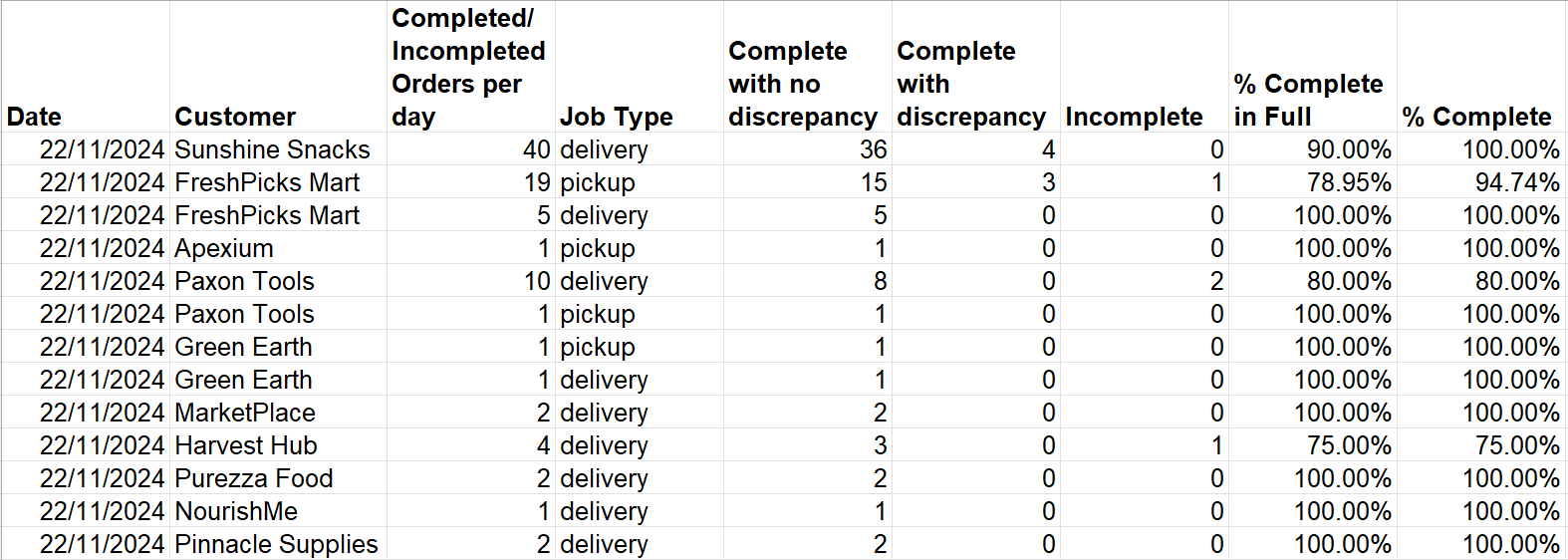
- Order Completion (%) report with breakdown by customer
- Each section is for 1 day
Order Completion (%) by account
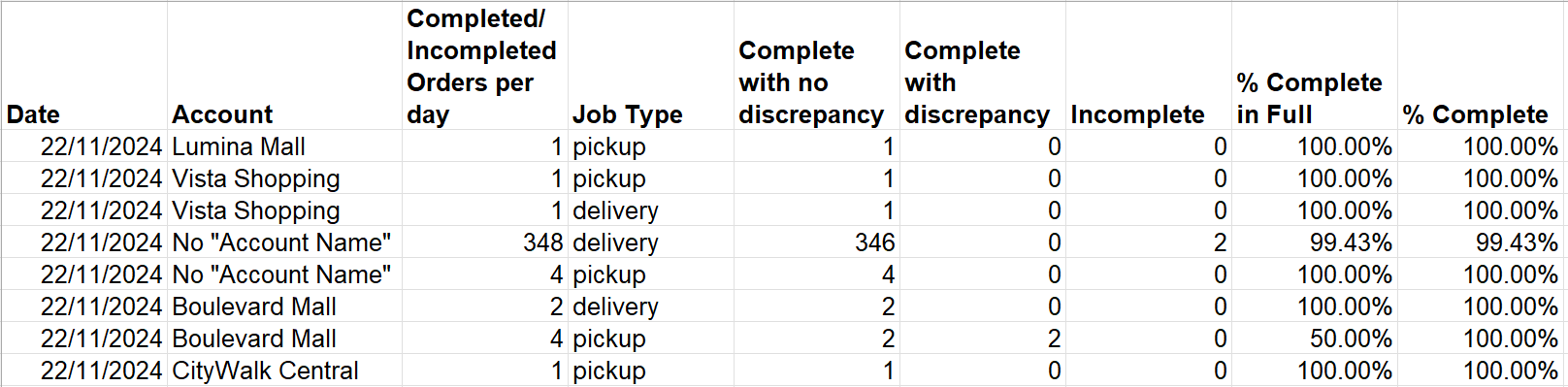
- Order Completion (%) report with breakdown by account name
- Tasks with no account name will be displayed as its own row as No "Account"
- Each section is for 1 day
Order Completion (%) by task contact person
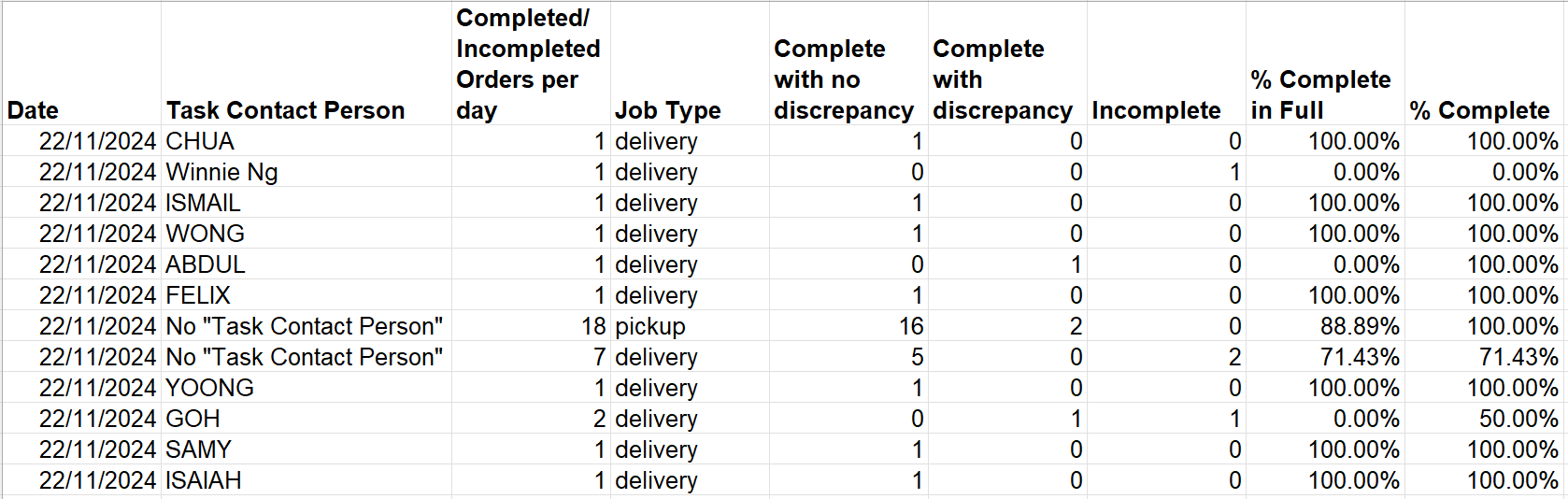
- Order Completion (%) report with breakdown by task contact person
- Tasks with no task contact person will be displayed as its own row as No "Task Contact Person"
- Each section is for 1 day
Order Completion (%) by zones
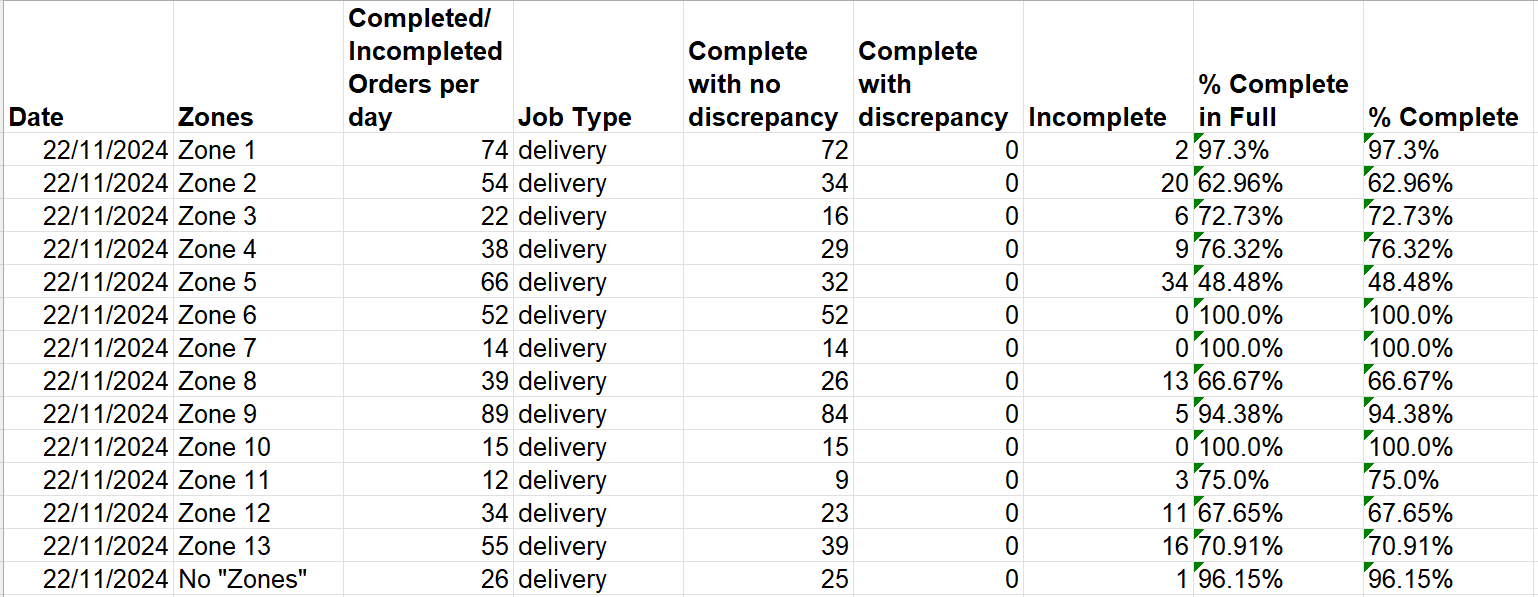
- Order Completion (%) report with breakdown by zones
- Zones are determined by the areas uploaded in Location-based functions
- Tasks that appear in 1 zone will be counted once and if they fall within multiple zones, they will be double counted
- Tasks with no zones will be displayed as its own row as No "Zones"
- Each section is for 1 day
Order Completion (%) by VersaFleet Plan accounts

- Order Completion (%) report with breakdown by VersaFleet Plan accounts
- Tasks that are allocated to each VersaFleet Plan account will displayed as its own row
- Tasks that are not allocated to any VersaFleet Plan accounts will be displayed as its own row as Unallocated Tasks
- Each section is for 1 day