Incomplete Orders refer to tasks that have been marked as incomplete with Incompletion Reason selected by the driver.
Here are the reports available about Incomplete Orders and Incompletion Reasons with different types of breakdown:
- Top Reasons for Incomplete Orders Report
- Incomplete Orders by Drivers
- Incomplete Reasons breakdown
- Incomplete Reasons breakdown by driver
- Incomplete Reasons breakdown by customer
- Incomplete Reasons breakdown by account
- Incomplete Reasons breakdown by task contact person
- Incomplete Reasons breakdown by zones
- Incomplete Reasons breakdown by VersaFleet Plan accounts
Report Overview
Top Reasons for Incomplete Orders Report

- Total Number of Orders include all tasks completed, incompleted and any unfinished (all statuses except for Unassigned) tasks created on that day
- Incomplete Orders refer to tasks that have not been completed
- Top Reason of Incompletion Orders refer to the Incompletion Reason used the most number of times by all drivers for that day
- 2nd Reason and 3rd Reason refer to the Incompletion Reason used the 2nd and 3rd most number of times by all drivers for that day
Incomplete Orders by Drivers
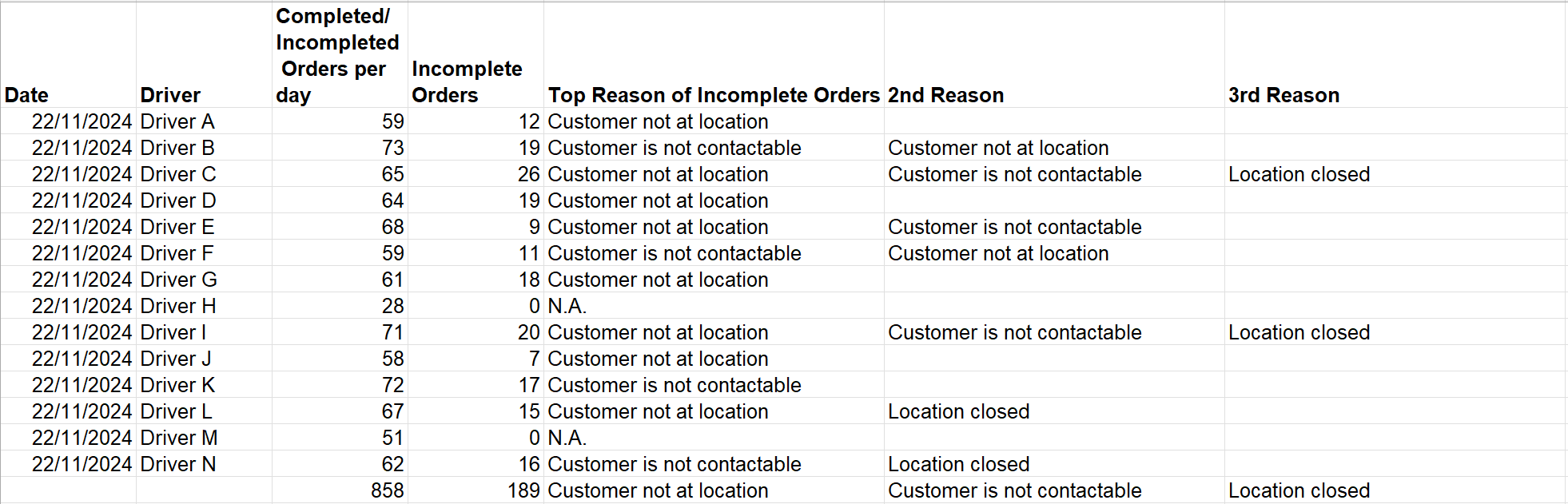
- Each section is for 1 day
- Completed/Incompleted Orders per day sums up the total complete and incomplete orders for the day for each driver
- Incomplete Orders refer to tasks that have been marked as incomplete by the driver
- Top Reason of Incompletion Orders refer to the Incompletion Reason used the most number of times by the driver for that day
- 2nd Reason and 3rd Reason refer to the Incompletion Reason used the 2nd and 3rd most number of times by the driver for that day
- The last row calculates the total number of Completed/Incompleted Orders per day and Incomplete Orders, and the top 3 Incompletion Reason used by all drivers for that day
Incomplete Reasons breakdown

- All Orders per day include all tasks completed, incompleted and any unfinished (all statuses except for Unassigned) tasks created on that day
- Completed Orders refer to tasks that have been completed
- Incomplete Orders refer to tasks that have not been completed
- Each column is for 1 incompletion reason
- Blank cells mean there were no incomplete task with that incompletion reason
Incomplete Reasons breakdown by driver
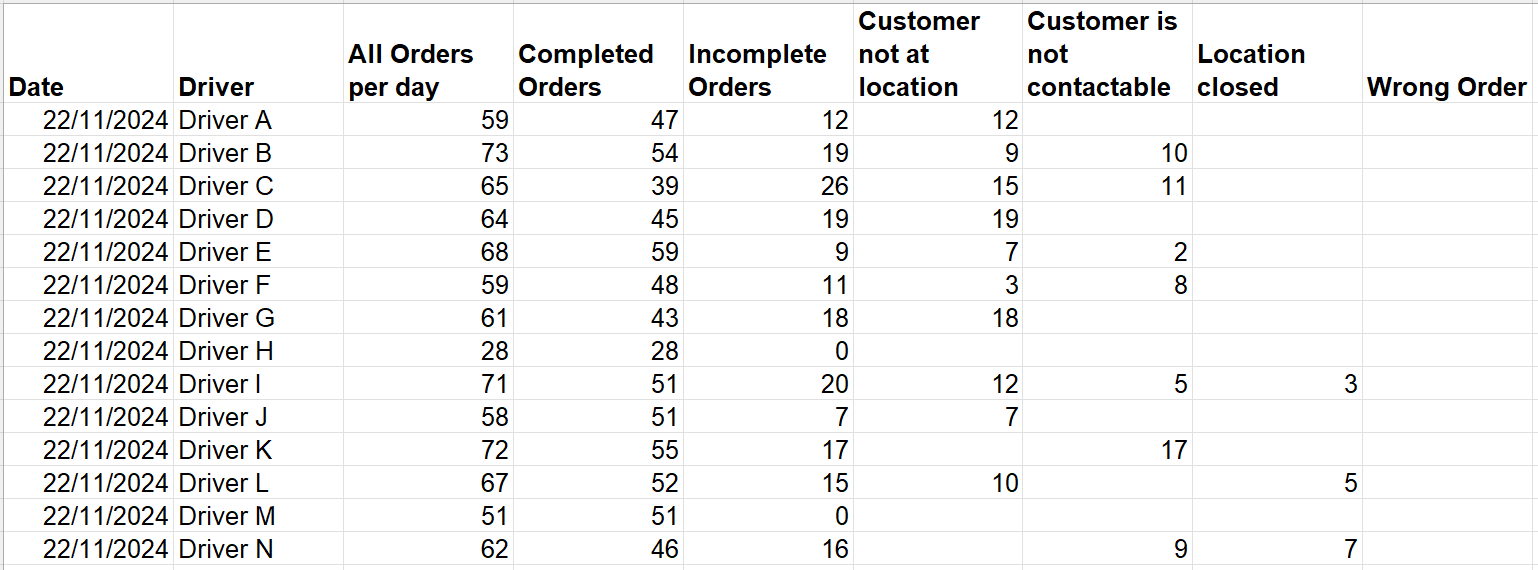
- Incomplete Reasons breakdown report with breakdown by driver
- Each section is for 1 day
Incomplete Reasons breakdown by customer
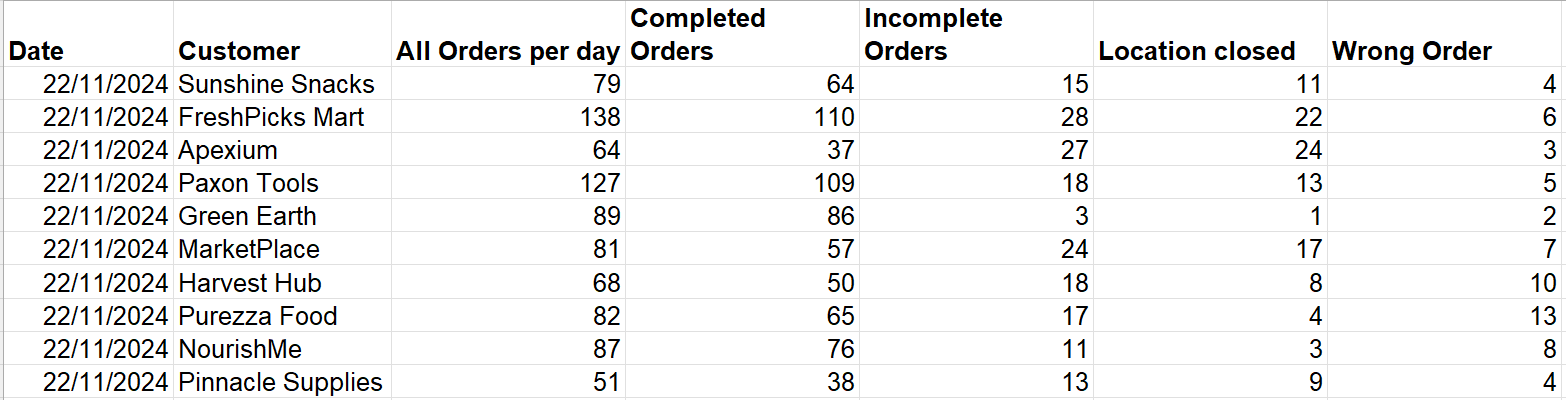
- Incomplete Reason breakdown report with breakdown by customers
- Each section is for 1 day
Incomplete Reasons breakdown by account

- Incomplete Reason breakdown report with breakdown by account name
- Tasks with no account name will be displayed as its own row as No "Account"
- Each section is for 1 day
Incomplete Reasons breakdown by task contact person
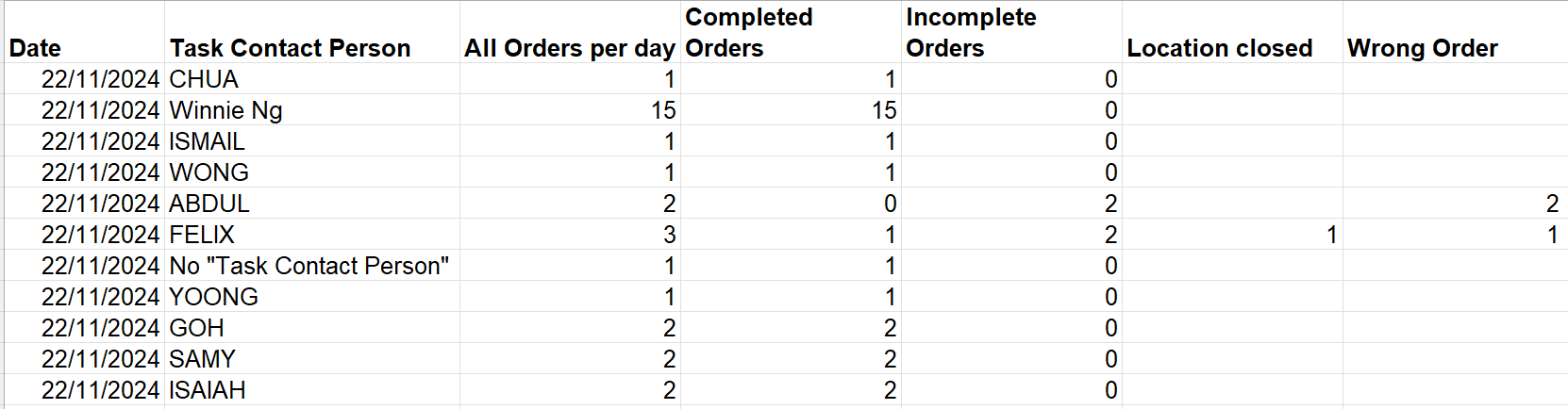
- Incomplete Reason breakdown report with breakdown by task contact person
- Tasks with no task contact person will be displayed as its own row as No "Task Contact Person"
- Each section is for 1 day
Incomplete Reasons breakdown by zones
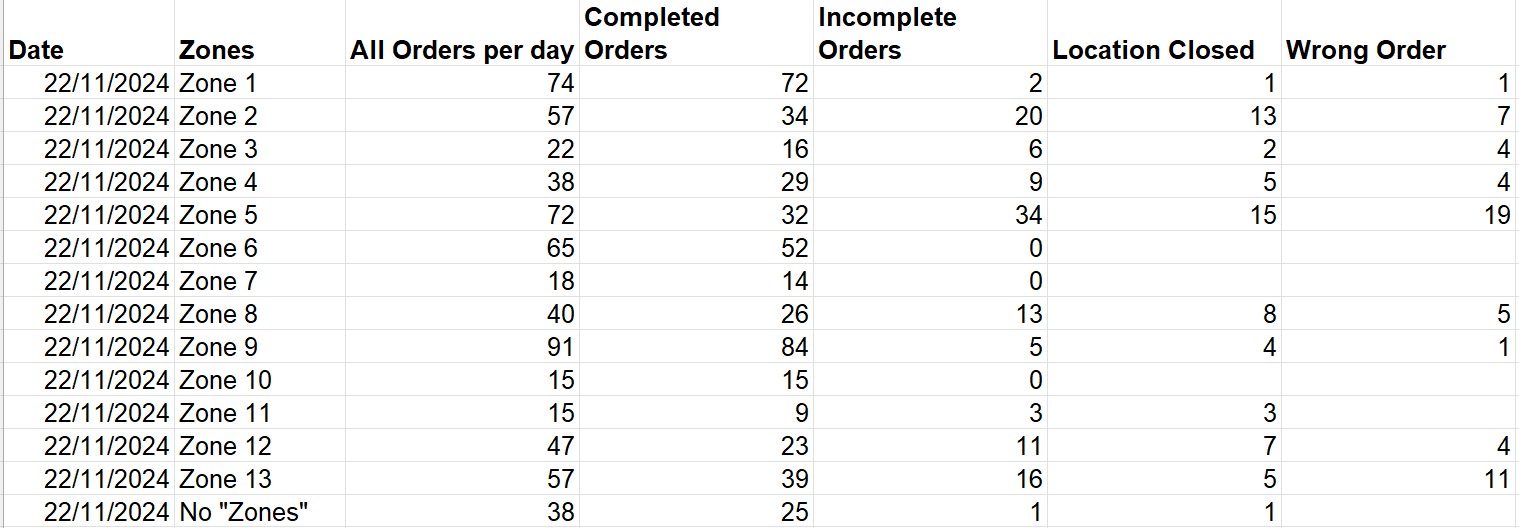
- Incomplete Reason breakdown report with breakdown by zones
- Zones are determined by the areas uploaded in Location-based functions
- Tasks that appear in 1 zone will be counted once and if they fall within multiple zones, they will be double counted
- Tasks with no zones will be displayed as its own row as No "Zones"
- Each section is for 1 day
Incomplete Reasons breakdown by VersaFleet Plan accounts

- Incomplete Reason breakdown report with breakdown byVersaFleet Plan accounts
- Tasks that are allocated to each VersaFleet Plan account will displayed as its own row
- Tasks that are not allocated to any VersaFleet Plan accounts will be displayed as its own row as Unallocated Tasks
- Each section is for 1 day