Addresses that will be frequently used should be added to Our Locations. They could be your warehouse or your customer's warehouses. When addresses are added to Our Locations, they would appear in the pickup and delivery addresses drop-down lists when you create Delivery and Pickup Jobs.
- Go to Settings > Our Locations.
- Hit + Add a Location on the right to create an address.
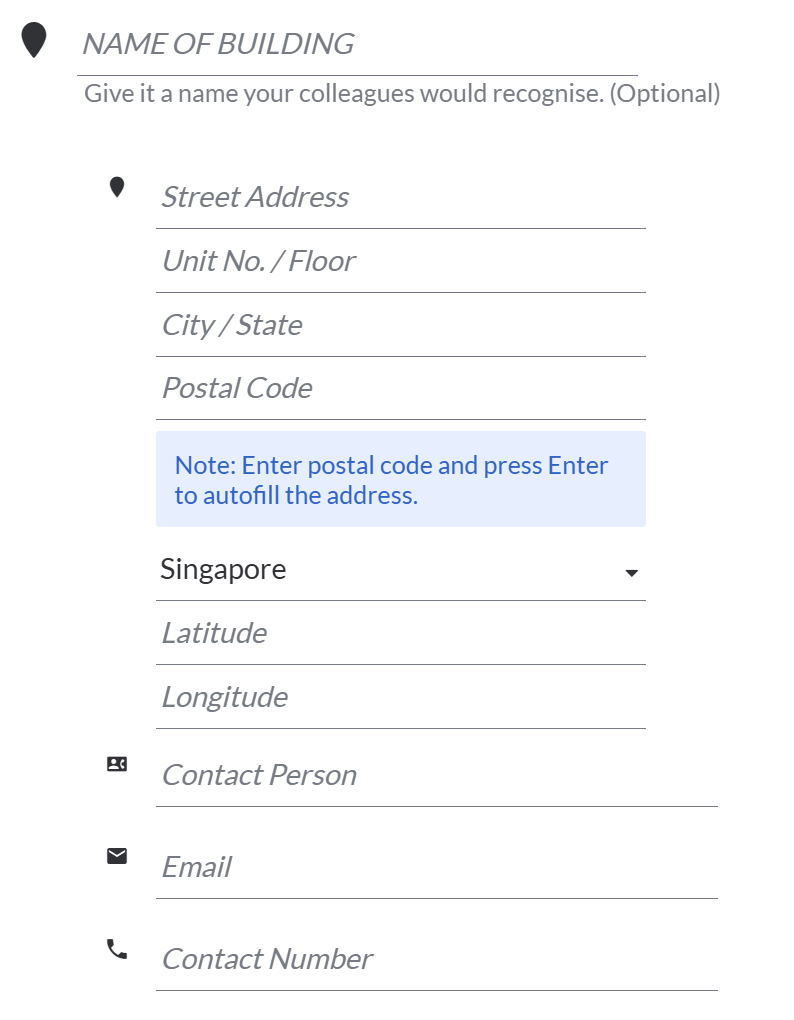
- You may include the postal code to complement the address. In most cases, we use Address Line 1 (Street Address) to show the exact location on our Planning > Map.
- Hit Save Location to create the address