Offline Mode in VersaFleet Drive allows drivers to complete certain actions in case there's no network connectivity. These actions are:
- Collected
- Started
- Arrived
- Complete
- Incomplete
Phone OS Requirements
- Android 6.0 and above
- iOS 10 and above
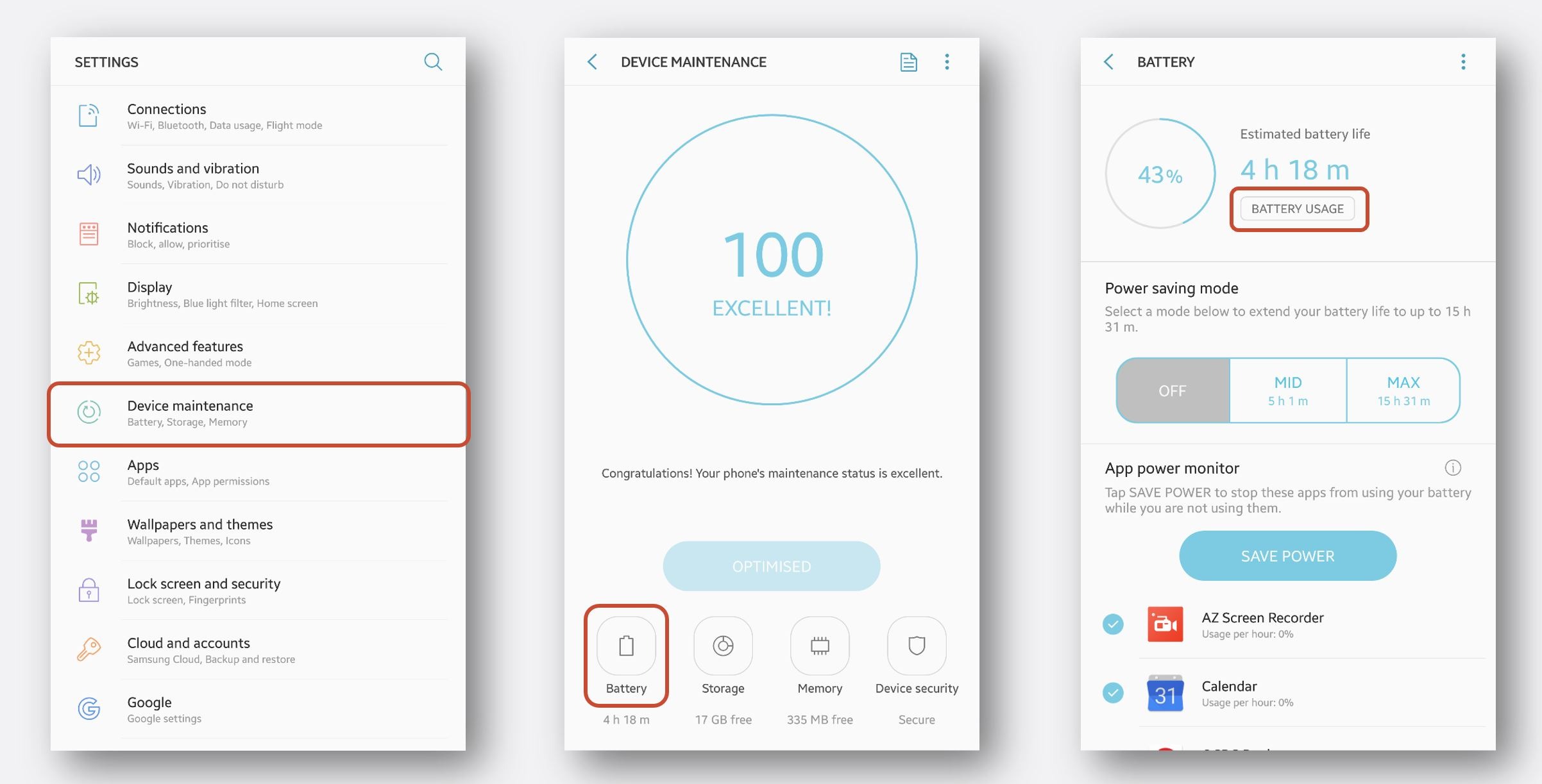
For Android devices, you may need to disable Battery Optimisation.
- In Settings, go to Device Maintenance, click on Battery, click on Battery Usage
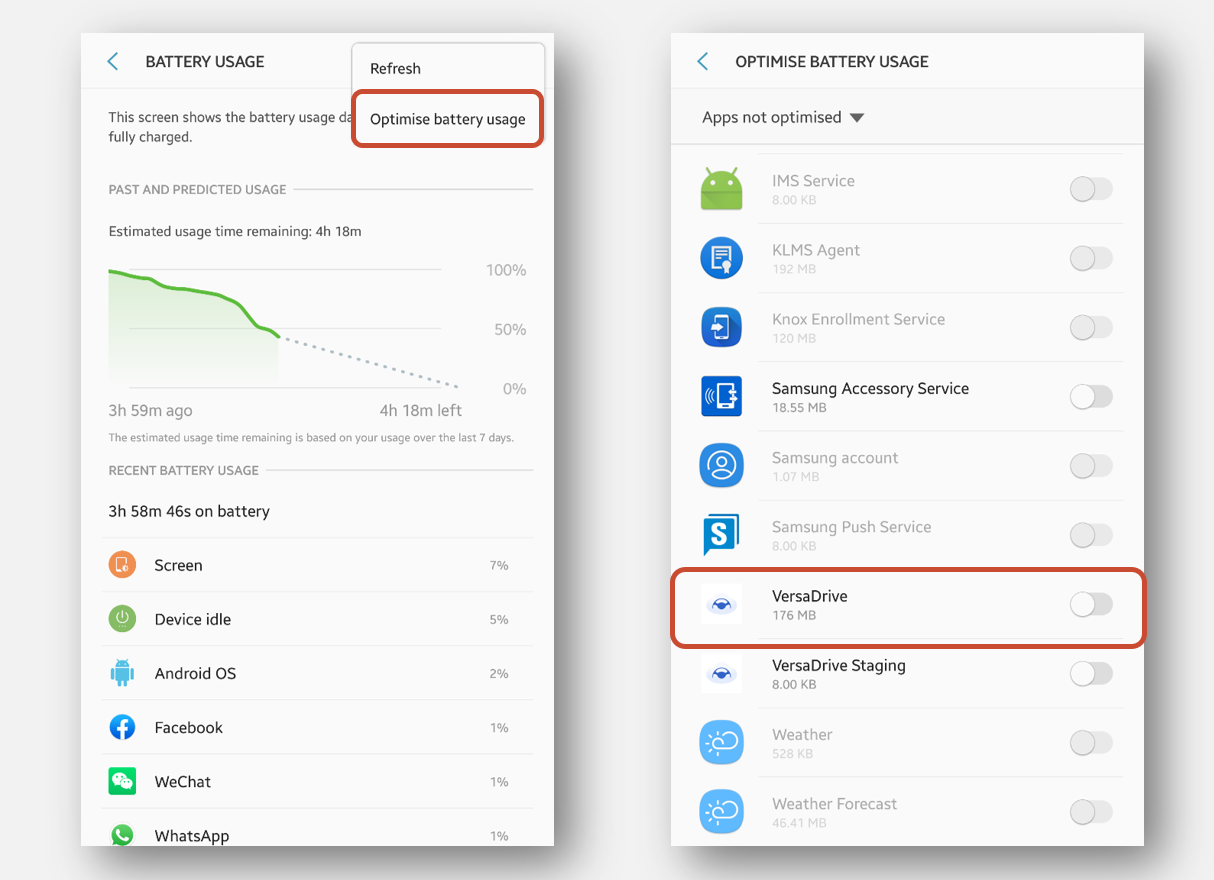
- From the top-right menu, click Optimise battery usage and then ensure that VersaDrive is not optimized (toggle is to the left)
Workflow when Offline Mode is in use
For a Delivery Job,
- At the warehouse at the start of the day, drivers will need to have a network connectivity to receive their assigned tasks in In Progress
- [Collected] Drivers will collect the tasks based on their list
- [Started] Drivers can click on the task and proceed with it by clicking Start
- [Arrived] When he has arrived at the location, swipe I’ve arrived
- [Complete] When the delivery is complete, drivers will record the Recipient's name and signature
- Attach photos of the goods delivered
- Key in any delivery details
- Click Deliver to save the details on the phone
- [Incomplete] If the delivery is not complete, drivers can swipe Incomplete
- Select reason for incompletion
- Attach photos if needed
- Click Done to save details
For a Pickup Job,
- At the pickup location at the start of the day, drivers will need to have a network connectivity to receive their assigned tasks in In Progress
- [Started] Drivers can click on the task and proceed with it by clicking Start
- [Arrived] When he has arrived at the location, swipe I’ve arrived
- [Collected] When the collection is complete, drivers will record the Recipient's name and signature
- Attach photos of the goods delivered
- Key in any collection details
- Click Collect to save the details on the phone
- [Incomplete] If the collection is not complete, drivers can swipe Incomplete
- Select reason for incompletion
- Attach photos if needed
- Click Done to save details
- [Complete] If the collection was successful, drivers will deliver the tasks based on their list
Syncing actions when online
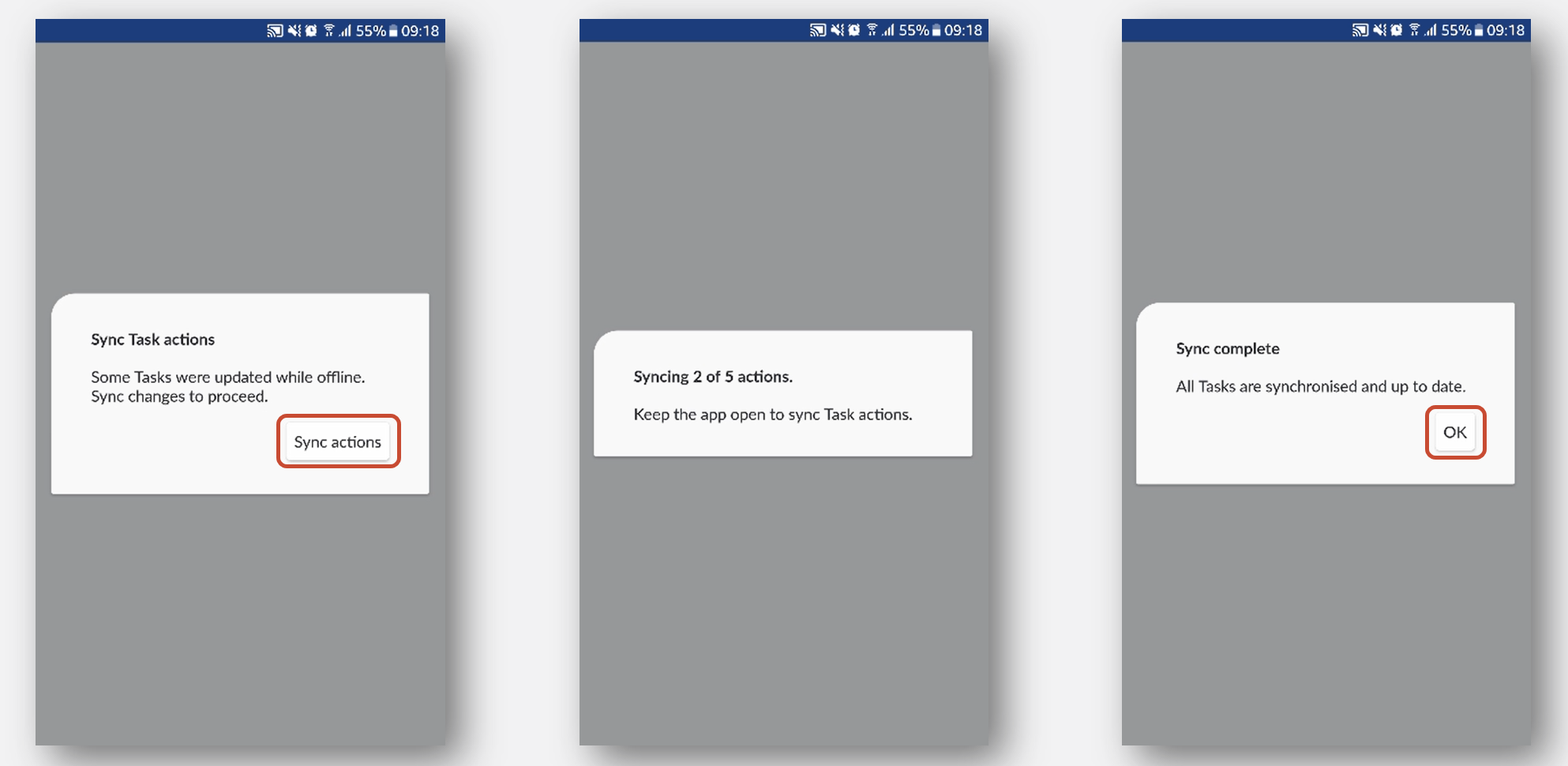
- Relaunch the app when there’s network connectivity
- Click Sync actions and OK when all actions have been synced
Compatibility with other functions
For security reasons, Offline Mode in VersaFleet Drive does not work with the following features:
- Recipient Verification
- Line Item Scanning: Scanning to Collect and Scanning to Unload