Task List Compiler provides a way for users to build a list of tasks based on Task ID, Tracking ID or Invoice No. and apply bulk actions to them.
In Task List View (the default view in Planning > Tasks), all tasks are displayed according to the date selected and the filters applied, while in Task List Compiler, users will start with an empty list and build their list of tasks.
To build a task list,
- Go to Planning > Tasks > Task List Compiler

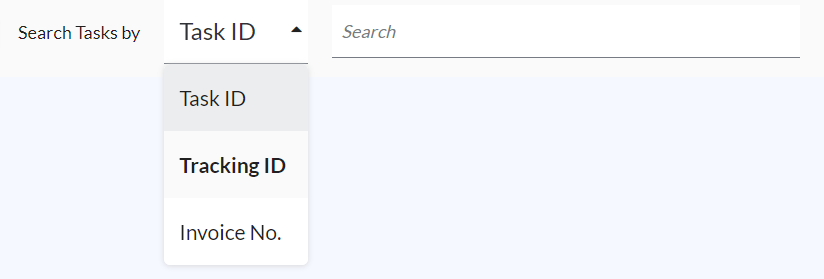
- Choose the identifier that you'd like to use to search tasks - Task ID, Tracking ID or Invoice No.
- Once there are a few tasks in the list, you may apply one of the bulk actions:
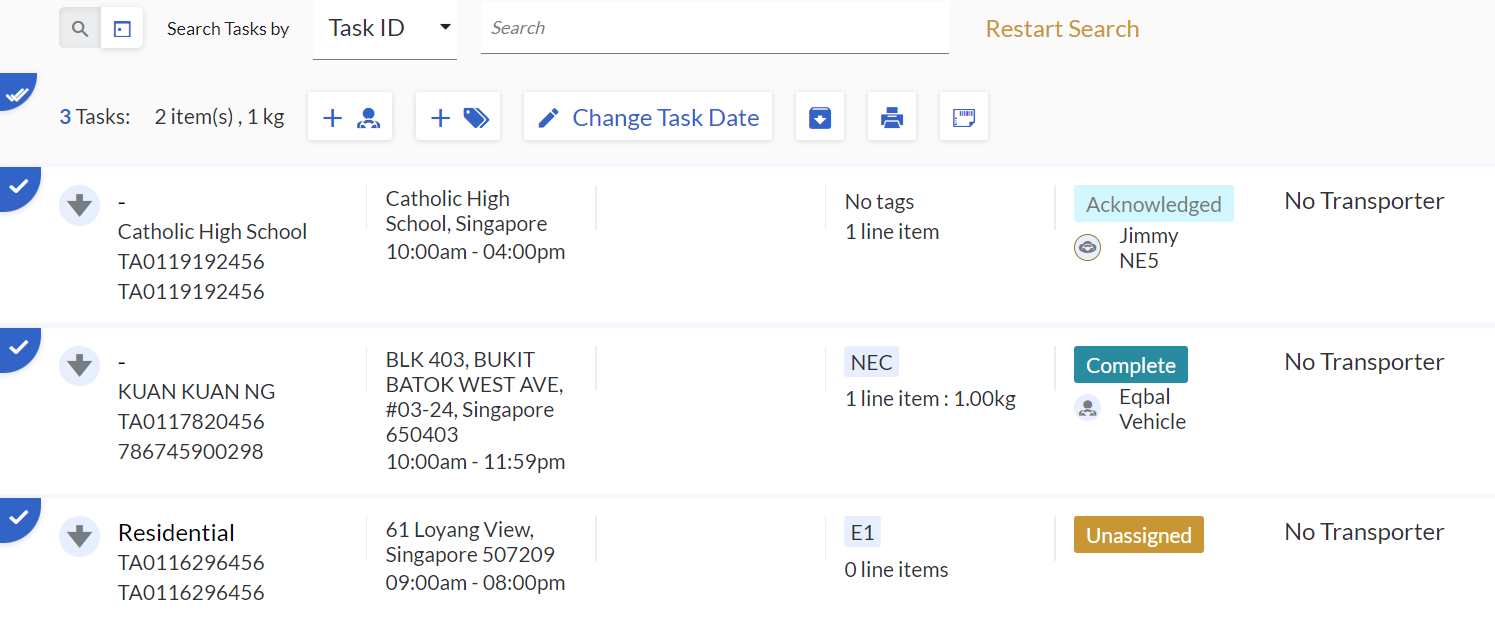
- Assign a driver to these tasks
- Add a Task Tag to these tasks
- Change the Task Date of these tasks
- Archive these tasks
- Print ePOD or Task Labels of these tasks
- To reset the list, click Restart Search to clear the list and build another list.
Note:
- You may search for part of the Task ID / Tracking ID / Invoice No., as long as there are fewer than 10 matching results. If there are more than 10 matching results, you will be prompted to use a more unique ID.
- Once the tasks are displayed in the list, clicking into the task will allow you to view more details, however, the action buttons that usually appear on the right will not be avaialble.
- Using the Task List Compiler is useful for cases where you need to search for a task without knowing the Task Date.