Submitting a Job
To send Job details to the VersaFleet account, you’ll need to submit the Job.
To submit a job,
- Go to the Submissions tab
- Select the Jobs view
- Select individual, multiple or all Jobs by clicking onto the top left corner of each Job, or click into the Job.
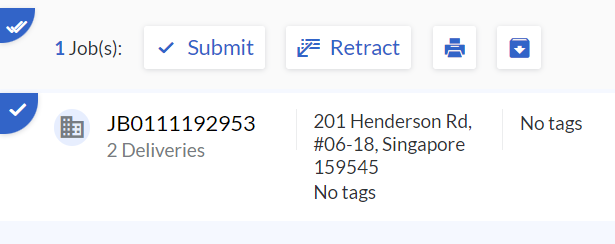
- Hit Submit to send Job details to the VersaFleet account and wait for their approval. The Job status will be changed from 'Draft' to 'Pending Approval', where the VersaFleet user will have to approve the Job in VersaFleet.
Retracting a Job
If there are some changes to the job and you would like to retract a job,
- Go to the Submissions tab
- Select the Jobs view
- Select individual, multiple or all Jobs by clicking onto the top left corner of each Job, or click into the Job.
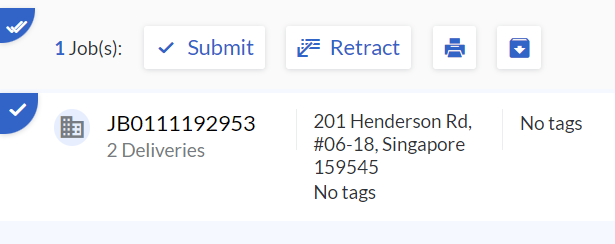
- Hit Retract to take back the Job details that were previously submitted to the VersaFleet account. The Job status will be changed from 'Pending Approval' to 'Draft', and you may make the changes to the job.
Note: Job can only be retracted if it has yet to be approved by the VersaFleet account.