Tracking Task Progress
- In the 'In Progress' tab, click on a task that you wish to track and click on the link below the time range.
- The VersaFleet Tracking page will be opened as a new tab. If the task status is 'Started', you might be able to see the driver's location and the estimated ETA.
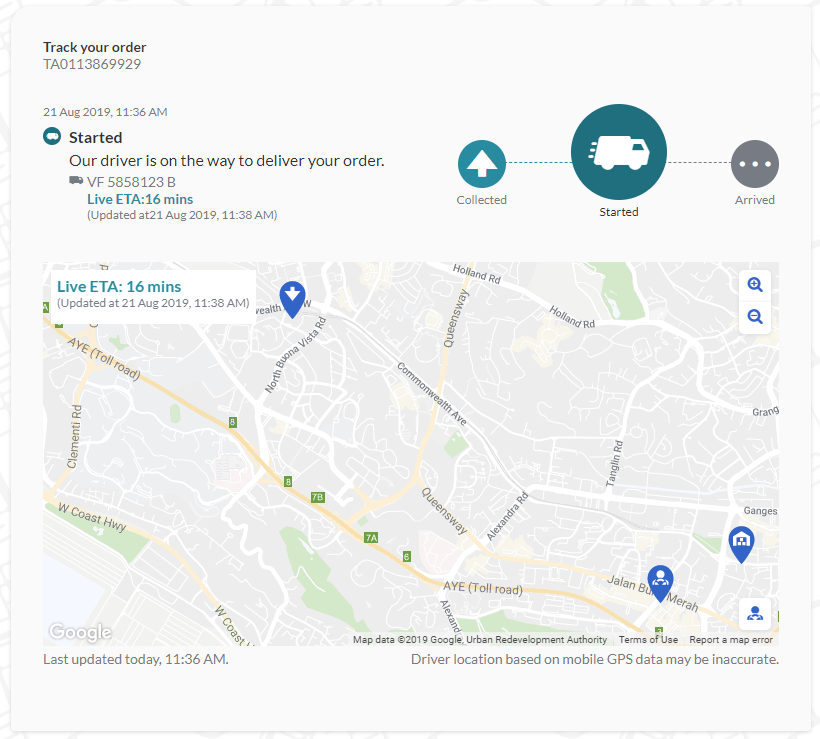

Note: The link to the Tracking Page is only available for 'Advanced' Visibility of statuses, which is configured in the VersaFleet account.